CrowdStrike Outage Report Form
Give IT teams an easy way to document CrowdStrike-related disruptions with a form that collects affected systems, error details, and business impacts. Keep incident reports organized so your team can prioritize troubleshooting, coordinate recovery efforts, and track service restoration across your organization.



An employee can't access their workstation after a CrowdStrike-related system failure. Another department is experiencing disruptions across multiple devices. While they both need technical assistance, their incidents involve different systems and levels of urgency. A CrowdStrike outage report form helps IT teams collect the information needed to investigate disruptions and coordinate recovery.
Employees provide device information, describe error messages, and explain how the outage affects their work. You can include options for operating systems, affected applications, and troubleshooting steps already attempted. Fields for screenshots and additional notes provides users with the space to document technical issues that aren't covered by standard selections.
Your team receives organized incident reports without relying on scattered emails or support messages. IT staff reviews submissions, identifies recurring problems, and prioritizes affected systems based on business impact. Organizations get a structured reporting process that supports incident tracking, recovery coordination, and communication throughout service disruptions.
A CrowdStrike outage report form collects information about system disruptions associated with CrowdStrike software or services. It typically includes affected device details, error descriptions, incident timelines, and business impacts. IT departments use it to document reported problems, investigate potential causes, coordinate troubleshooting, and monitor recovery progress across affected systems.
Managing outage reports through separate emails, phone calls, and support tickets can make it difficult to identify widespread issues. A structured form collects consistent technical information from affected users. It helps IT teams recognize recurring errors, assess incident severity, and prioritize recovery efforts while maintaining a centralized record of reported disruptions.
Include questions that help IT teams understand the incident and determine its impact, like:
- What is your name and department?
- Which device or system is affected?
- What is the device's asset identification number?
- When did the issue first occur?
- What operating system is installed?
- What error messages are displayed?
- Is the device experiencing repeated crashes?
- Can you access your workstation?
- Which applications or services are unavailable?
- How many users are experiencing the issue?
- How is the disruption affecting your work?
- Have you attempted any troubleshooting steps?
- Can you upload a screenshot of the error?
- Is an alternative device available?
- What additional assistance do you need?
You can adjust the questions to match your IT infrastructure, incident response procedures, and technical support requirements.
Use dropdown menus for device types, operating systems, and incident severity levels. Include multiple-choice questions to identify common symptoms and affected services. Conditional logic can display additional troubleshooting questions based on the reported issue. Allow users to upload screenshots and provide brief descriptions. Keep required fields limited to information needed for initial incident assessment.
Yes. A CrowdStrike outage report form helps IT teams document affected systems and organize information throughout the recovery process. Support staff can review incident reports, assign troubleshooting tasks, and update resolution statuses in a connected ticketing system. Managers can monitor outstanding issues, identify recurring failures, and evaluate restoration progress. The form supports incident documentation but doesn't replace technical diagnostics or established recovery procedures.
Get inspired by relevant templates and categories
3200+ Templates, 300+ Integrations
Team Management Software Requisition Form
Give employees and managers a straightforward way to request team management software with a form that collects software requirements, business needs, and budget information. Keep requests organized so IT and procurement teams can evaluate options, coordinate approvals, and provide teams with the tools they need to work efficiently.
View template
Equipment Decommissioning Checklist Form
Give teams a structured way to retire equipment with a form that collects asset details, shutdown procedures, and disposal requirements. Keep decommissioning records organized so your team can track completed tasks, document safety checks, and manage equipment removal.
View template
CrowdStrike Outage Report Form
Give IT teams an easy way to document CrowdStrike-related disruptions with a form that collects affected systems, error details, and business impacts. Keep incident reports organized so your team can prioritize troubleshooting, coordinate recovery efforts, and track service restoration across your organization.
View template
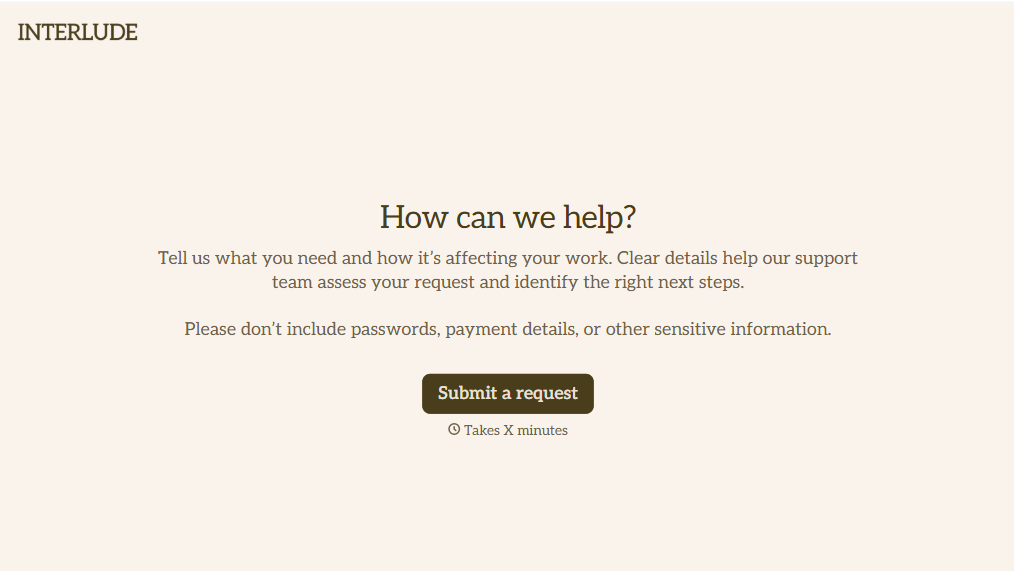
Helpdesk Request Form
Give employees, customers, and IT teams a straightforward way to report technical issues with a form that collects problem descriptions, contact information, and support priorities. Keep helpdesk requests organized so support teams can troubleshoot problems, assign tickets, and resolve issues efficiently while minimizing disruptions to daily operations.
View template
With Typeform, you can customize everything
Change text, colors, and even logos to match the look and feel of your brand. Then embed forms smoothly onto web and email.
Make forms feel effortless to fill out. Pace questions, call people by their name, and adapt the flow based on the data they share.
Stay efficient by connecting forms to your workflow. Typeform integrates with 300+ tools including Slack, Zapier, and HubSpot.


