Current Event Summary Form
Give teachers, students, and educational organizations a straightforward way to document and analyze current events with a form that collects article details, key facts, and personal reflections. Keep summaries organized so educators can review student understanding, encourage critical thinking, and support meaningful discussions about local, national, and global news.



A high school student summarizes a news article about environmental policy, while a college student analyzes a report on international economic developments. Both need to identify important information and explain its significance, but their topics, sources, and perspectives differ. A current event summary form helps students organize their research and demonstrate their understanding of newsworthy events.
Students provide information about the article or news report they selected, including its title, publication date, source, and main topic. You can include fields for key facts, important individuals, event locations, and supporting evidence. Questions about the event's causes, potential consequences, and broader significance encourage students to evaluate information rather than simply repeat what they read.
Your team receives organized current event summaries without relying on scattered documents or inconsistent assignment formats. Teachers review submissions, assess comprehension, and identify opportunities for classroom discussion. Schools and educational programs get a structured way to manage current events assignments, encourage media literacy, and help students connect classroom learning with real-world developments.
A current event summary form helps students or other participants document and analyze information about recent news events. It typically includes the article title, publication source, event date, key facts, a written summary, and personal reflections. Teachers and educational organizations use it to evaluate reading comprehension, encourage critical thinking, and help students develop research and media literacy skills.
Managing current events assignments through unstructured written responses can make it difficult to evaluate student understanding consistently. A structured summary form collects information about each news source, the main event, supporting facts, and the student's interpretation. It helps educators compare submissions, assess comprehension, and identify areas where students may need additional guidance. The form also encourages students to distinguish factual reporting from opinions and develop stronger analytical skills.
Include questions that help students summarize news stories and evaluate their significance, like:
- What is your full name?
- What is your class or course name?
- What is the date of your submission?
- What is the title of the news article or report?
- What is the name of the publication or news source?
- Who is the author of the article?
- When was the article published?
- What is the URL of the original article?
- What category best describes the current event?
- Where did the event take place?
- When did the event occur?
- Who are the main people, organizations, or groups involved?
- What happened during the event?
- What are the most important facts presented in the article?
- What events or circumstances led to this situation?
- Why is this event considered newsworthy?
- Who is affected by the event?
- What are the potential short-term consequences?
- What are the possible long-term effects?
- What evidence or sources does the article use to support its claims?
- Does the article include opinions or interpretations?
- Have you compared this information with another reliable source?
- What did you learn from reading about this event?
- How does this event connect to topics discussed in class?
- What questions do you still have about the event?
- Why do you think people should know about this story?
- Would you like to include any additional observations or reflections?
You can customize the questions to match your students' grade levels, course objectives, and current events assignment requirements.
Use dropdown menus for news categories, course names, and assignment topics. Include short-answer fields for basic article information and longer response fields for summaries and analysis. Conditional logic can display additional questions based on the event category or assignment requirements. Provide clear instructions about acceptable sources, expected summary length, and citation requirements. For younger students, use simpler prompts that focus on who, what, when, where, why, and how. Keep the form mobile-friendly and allow students to save or prepare their responses before submitting when possible.
Yes. A current event summary form encourages students to move beyond identifying basic facts and consider the causes, consequences, and broader significance of news events. Teachers can review submissions, evaluate how students interpret evidence, and encourage discussions about different perspectives. The collected information also helps educators identify misunderstandings and introduce lessons about reliable sources, bias, and misinformation.
By regularly completing current event summaries, students can strengthen their reading comprehension, research abilities, and written communication skills. They can also learn to distinguish between factual statements, interpretations, and unsupported claims. However, a summary form alone does not guarantee accurate analysis. Educators should encourage source verification, provide constructive feedback, and help students approach complex or controversial topics thoughtfully.
Get inspired by relevant templates and categories
3200+ Templates, 300+ Integrations
Scholarship Program Expansion Request Form
Give educational institutions and nonprofit organizations a straightforward way to request scholarship program expansions with a form that collects funding needs, proposed changes, and supporting information. Keep requests organized so program administrators can evaluate expansion opportunities, review budgets, and make informed decisions about increasing financial assistance for students.
View template
Current Event Summary Form
Give teachers, students, and educational organizations a straightforward way to document and analyze current events with a form that collects article details, key facts, and personal reflections. Keep summaries organized so educators can review student understanding, encourage critical thinking, and support meaningful discussions about local, national, and global news.
View template
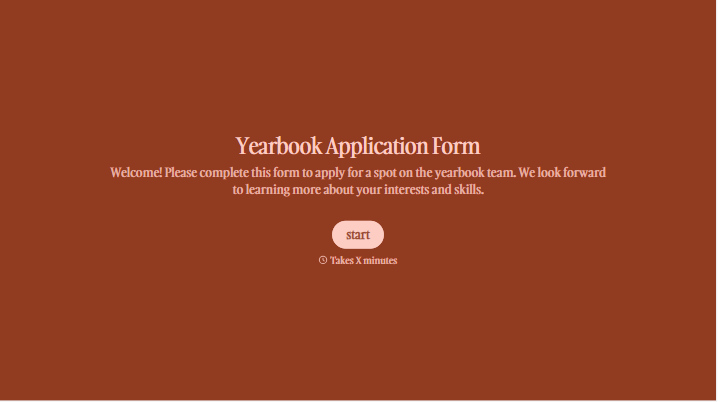
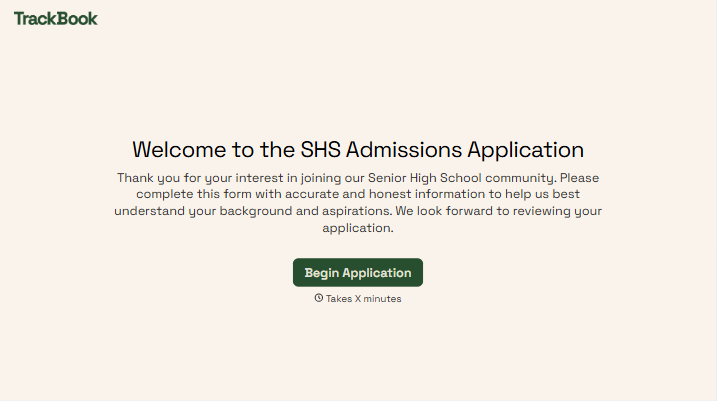
With Typeform, you can customize everything
Change text, colors, and even logos to match the look and feel of your brand. Then embed forms smoothly onto web and email.
Make forms feel effortless to fill out. Pace questions, call people by their name, and adapt the flow based on the data they share.
Stay efficient by connecting forms to your workflow. Typeform integrates with 300+ tools including Slack, Zapier, and HubSpot.


