Campground Guest Check Out Form
Provide campground guests with a convenient way to complete their checkout with a form that collects reservation details, departure information, and campsite conditions. Keep checkout records organized so campground staff can track departures, manage site availability, and prepare accommodations for incoming guests.



A family is packing up after a weekend camping trip. Another guest is leaving after an extended stay at an RV campsite. While they both will need to complete the checkout process, their accommodations and departure requirements will be different. A campground guest check out form helps campground operators collect departure information and confirm that campsites are ready for inspection and cleaning.
Guests provide reservation details, confirm their departure times, and share information about their campsite's condition. You can include fields for campsite numbers, equipment returns, facility issues, and additional charges. Questions about waste disposal, utility connections, and maintenance concerns will help staff identify tasks that need attention before the next reservation.
Your team receives organized checkout information without relying on paper logs or individual conversations. Campground staff review submissions, update site availability, and coordinate cleaning or maintenance activities. Campground operators get a structured way to manage guest departures, monitor campsite conditions, and prepare for upcoming arrivals.
A campground guest check out form collects information from guests completing their stay at a campground or RV park. It usually includes guest contact details, reservation numbers, campsite information, departure times, and campsite condition confirmations. Campground operators can use it to document departures, coordinate site inspections, and prepare campsites for new visitors.
Managing guest departures through verbal notifications or paper records can make it difficult to track campsite availability and identify maintenance needs. A structured checkout form collects consistent information about reservations, departure times, and site conditions. It helps campground staff update occupancy records, coordinate cleaning schedules, and address reported issues while reducing administrative work during busy checkout periods.
Include questions that help campground operators confirm guest departures and prepare campsites for future reservations, like:
- What is your full name?
- What is your preferred contact email?
- What is your phone number?
- What is your reservation or booking number?
- What is your campsite or RV site number?
- What type of campsite did you occupy?
- What was your scheduled checkout date?
- What time are you departing the campground?
- Have all members of your group left the campsite?
- Have you removed all personal belongings?
- Have you collected and properly disposed of your trash?
- Have you cleaned your campsite before departure?
- Have you safely extinguished any campfires?
- Have you disconnected any electrical, water, or sewer hookups?
- Have you returned any rented equipment or campground supplies?
- Did you notice any damage to the campsite or facilities?
- Are there any maintenance concerns staff should address?
- Do you have any outstanding charges or rental fees?
- How would you rate your overall camping experience?
- Is there any additional feedback you would like to share?
You can customize the questions to match your campground's facilities, accommodation types, and checkout policies.
Use dropdown menus for campsite numbers, accommodation types, and departure times. Include multiple-choice questions for campsite cleanliness, equipment returns, and facility conditions. Conditional logic can display additional questions when guests report damage, maintenance issues, or outstanding rental equipment. Keep required fields focused on essential checkout information and clearly explain departure deadlines, cleanup expectations, and any applicable fees. Make the form mobile-friendly so guests can complete it before leaving the campground.
Yes. A campground guest check out form helps operators document departures, identify vacant campsites, and coordinate preparation for incoming guests. Staff can review submissions, schedule inspections, and address cleaning or maintenance needs before making sites available for new reservations. The collected information also supports equipment tracking, guest communication, and occupancy planning. Campground teams can use checkout records to improve turnaround times and maintain a consistent experience for visitors.
Get inspired by relevant templates and categories
3200+ Templates, 300+ Integrations
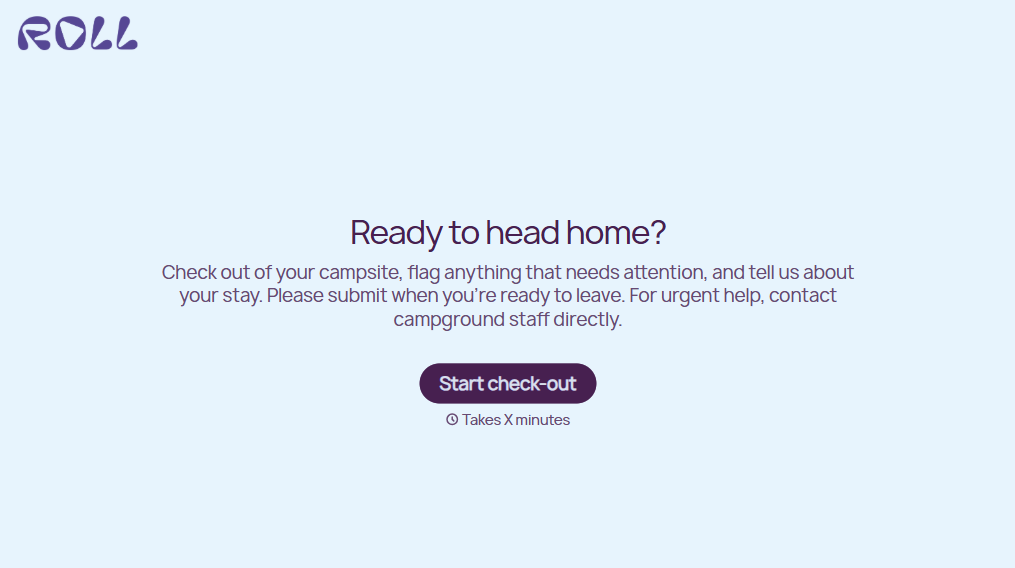
Campground Guest Check Out Form
Provide campground guests with a convenient way to complete their checkout with a form that collects reservation details, departure information, and campsite conditions. Keep checkout records organized so campground staff can track departures, manage site availability, and prepare accommodations for incoming guests.
View template
Travel Feedback Form
A quick "so, how was the trip?" when someone's back in the office doesn't tell your travel team which hotel to stop booking or which flight change actually caused the headache. Collect what your team actually needs, trip details, what worked, and what didn't, once the traveler's had a minute to think about it.
View template
Library Feedback Form
A comment card dropped in a suggestion box isn't a channel your staff can act on quickly, especially when nobody can tell if it's about a broken chair or a request for more audiobooks. Collect the specific feedback, which branch and department it concerns, and a way to follow up before the card gets buried under next week's stack.
View template

Travel Agency Feedback Form
A generic satisfaction survey emailed three weeks after a trip isn't the kind of feedback an agency can act on, especially once the specifics of a rough hotel transfer have faded. Collect feedback on the specific parts of a trip while it's still fresh, so a complaint that needs immediate follow-up doesn't sit behind a stack of routine responses.
View template
With Typeform, you can customize everything
Change text, colors, and even logos to match the look and feel of your brand. Then embed forms smoothly onto web and email.
Make forms feel effortless to fill out. Pace questions, call people by their name, and adapt the flow based on the data they share.
Stay efficient by connecting forms to your workflow. Typeform integrates with 300+ tools including Slack, Zapier, and HubSpot.


