Travel Information Form
Stop collecting travel details over email. One form gathers passport information, preferences, and emergency contacts from every traveler.



Event planners and travel coordinators who collect trip details over email spend more time chasing missing information than booking travel. A missing passport number or dietary restriction that surfaces on travel day has no easy fix. Typeform's travel information form gives coordinators a reliable way to collect complete traveler details before arrangements are finalized.
The form captures passport details, flight preferences, dietary restrictions, accommodation needs, emergency contacts, and mobility considerations. Typeform walks travelers through one question at a time, so the process takes minutes instead of a back-and-forth email chain. Conditional logic adapts questions based on the traveler's trip type. A domestic traveler sees different questions than one traveling internationally, where passport details and visa requirements become relevant.
Customize the form with your trip name, destination, departure dates, and any required documentation fields. Share it via email, embed it on your event registration page, or include it in your pre-trip communications. Every response logs automatically in Google Sheets or Airtable via Zapier, giving your team a complete traveler manifest before departure. Every traveler checks in with confidence, and every coordinator already has the full picture weeks before departure.
A travel information form collects everything a coordinator needs to book and manage travel for a group or individual. It gathers passport details, flight preferences, dietary restrictions, accommodation requirements, emergency contacts, and mobility considerations in one place. It functions as the single source of truth for every traveler in your group, from booking through check-in.
Travel logistics break down when details are scattered across emails, spreadsheets, and text messages. A structured form gives every traveler the same path to submit details, so coordinators have everything before bookings are made. It also creates a documented record for every traveler, which matters for insurance, emergency contacts, and group check-ins. Use it for corporate travel, group tours, conference trips, and staff retreats.
A complete travel information form covers:
- Traveler name, date of birth, and contact details
- Passport number, issue date, and expiration date
- Flight preferences (e.g., seat preference, frequent flyer number)
- Dietary restrictions and meal preferences
- Accommodation preferences and room type
- Emergency contact name and phone number
- Mobility requirements or special assistance needed
- Visa status and travel documentation
Set up conditional logic to branch the form by trip type, so each traveler only sees relevant questions. A domestic traveler moves through a shorter path focused on preferences and emergency contacts. An international traveler sees additional questions about passport details, visa status, and travel documentation. This keeps the form quick for straightforward trips without skipping critical details for international travel.
Typeform's File Upload feature lets travelers attach a passport copy, visa documentation, or travel insurance certificate directly in the form. Accepted file types include JPG, PNG, and PDF, with a 10MB limit per file. Documents arrive alongside each traveler's submission, so coordinators review the full profile in one place. File Upload is available on paid Typeform plans.
Get inspired by relevant templates and categories
3200+ Templates, 300+ Integrations





With Typeform, you can customize everything
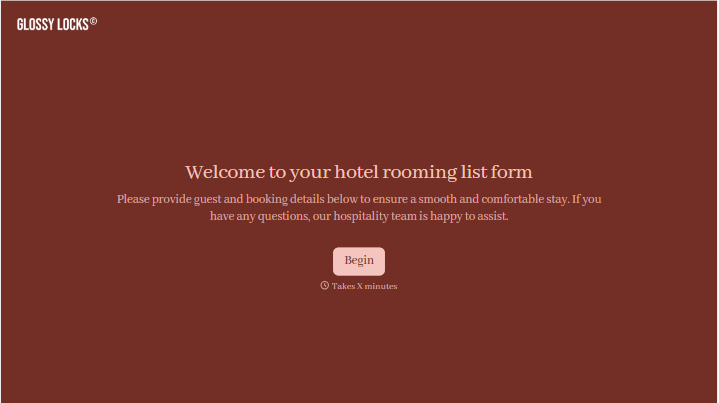
Change text, colors, and even logos to match the look and feel of your brand. Then embed forms smoothly onto web and email.
Make forms feel effortless to fill out. Pace questions, call people by their name, and adapt the flow based on the data they share.
Stay efficient by connecting forms to your workflow. Typeform integrates with 300+ tools including Slack, Zapier, and HubSpot.


