Property Condition Report Form Template
Documenting a property's condition at the start or end of a tenancy protects both parties. A clear digital report makes disputes far less likely.



Property condition disputes at the end of a tenancy are among the most common — and most avoidable — conflicts in property management. When the check-in report is vague, incomplete, or only on paper, there's no reliable baseline to compare against at checkout. Both sides end up in a disagreement with no clear resolution.
A digital property condition report changes that. This template walks the inspector or tenant through each room and area systematically, with conditional logic to surface specific questions for different room types. Photo uploads mean conditions can be documented visually, not just described. You end up with a timestamped, structured record that's useful if questions arise later.
Customize the sections for the property type, connect to your property management system, and keep a secure record of every report.
When you have multiple properties to manage, the check-in process for new tenants can be lengthy and hard to stay on top of.
With an online form, you can make it easier to collect all the information you need, organize it, and store it for future reference.
Use a form to collect contact information and reports on the condition of a property. You can even include a File Upload question to get photographic evidence of your tenants’ claims.
A property condition report form documents the physical state of a property at a specific point in time, typically at the start and end of a tenancy. It records the condition of each room, fixture, and appliance, and serves as the reference point for any deposit or damage disputes.
A vague or absent check-in report is the root cause of most tenancy deposit disputes. A detailed, timestamped digital report gives both landlord and tenant a clear, agreed record of the property's condition — reducing the likelihood of conflict and providing documentation if a dispute does arise.
A thorough condition report covers every area of the property. Consider including:
- Property address and inspection date
- Condition of walls, floors, and ceilings in each room
- State of fixtures, fittings, and built-in appliances
- Window and door condition
- Outdoor areas, if applicable
- General cleanliness and any pre-existing damage
Yes. Written descriptions alone are open to interpretation. Include a photo upload question for each area so conditions are documented visually. Timestamped photos create an objective record that written notes can't match.
You can collect digital acknowledgment at the end of the form, where both parties confirm they've reviewed and agree with the documented conditions. For legally binding sign-off, check the requirements in your jurisdiction — some may require a wet or certified digital signature.
Get inspired by relevant templates and categories
3200+ Templates, 300+ Integrations

Bank Reference Form
A reference request faxed to a bank branch and left sitting in a queue for weeks isn't the kind of turnaround a landlord or business can wait on. Collect the applicant's signed authorization and the specific details you need confirmed before the request even reaches the bank, so a decision isn't stuck behind a letter that hasn't come back yet.
View template

Bar Inventory Form
A bottle count eyeballed at the end of a shift and scrawled on a paper sheet doesn't hold up against a pour cost report that says something doesn't add up. Collect what your bar actually needs, item, count, and variance, on a schedule you can actually compare week to week.
View template

Equipment Inventory Form
Equipment that leaves a storage room in someone's arms, with no note about where it went, doesn't show up again until someone needs it and can't find it. Collect what your team actually needs, item details, condition, and who's got it, every time something moves.
View template

Maintenance Agreement Form
A maintenance plan agreed to over the phone isn't a contract your service team can actually work from, especially when nobody's sure whether the twice-a-year tune-up was part of the deal. Collect the equipment covered, service frequency, and a signed agreement before the first visit, so your team isn't guessing at scope once they're on-site.
View template

Incentive Claim Form
A rebate claim mailed in with a stapled stack of receipts isn't the kind of paperwork that gets processed quickly, especially when a required serial number turns out to be missing from page three. Collect proof of purchase, product details, and participant information upfront, so a claim doesn't bounce back for a missing document weeks later.
View template
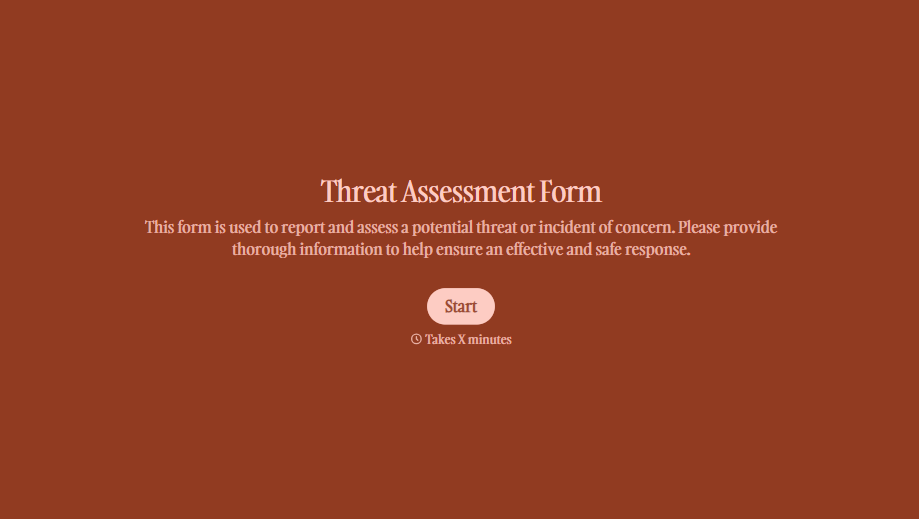
Threat Assessment Form
A concerning comment that gets passed from a teacher to a counselor to whoever's free that period loses detail with every retelling. Collect what your team actually needs, what was observed or reported, who was involved, and when, before an important detail gets dropped along the way.
View template
With Typeform, you can customize everything
Change text, colors, and even logos to match the look and feel of your brand. Then embed forms smoothly onto web and email.
Make forms feel effortless to fill out. Pace questions, call people by their name, and adapt the flow based on the data they share.
Stay efficient by connecting forms to your workflow. Typeform integrates with 300+ tools including Slack, Zapier, and HubSpot.


