Nursing License Verification Form Template
Verify nursing credentials without the paper chase. Collect everything you need in one structured request.



Hiring a nurse or processing a license verification involves collecting sensitive, regulated information from multiple parties. License numbers, issuing states, expiration dates, disciplinary history, compact privileges. Missing a single detail can delay onboarding or put your facility out of compliance.
This nursing license verification form template walks requesters through every required field, one question at a time. Conditional logic adapts based on license type (RN, LPN, APRN, or compact multistate), so the right questions appear for the right credential. No one wastes time on fields that don't apply to their situation.
Set it up with your facility's branding and required fields, then share the link with applicants, credentialing staff, or verification agencies. Responses feed into your tracking system through integrations with Google Sheets, Airtable, or your credentialing platform. Every submission is timestamped and stored securely.
A nursing license verification form collects the information needed to confirm that a nurse holds a valid, active license to practice. It typically captures the nurse's personal details, license number, issuing state or board, license type, expiration date, and any disciplinary actions or restrictions. Healthcare facilities, staffing agencies, and state boards use this documentation as part of credentialing and compliance processes.
Credentialing errors in healthcare carry serious consequences. Regulatory penalties, liability exposure, and patient safety risks. A structured form ensures every verification request includes complete, consistent information. This reduces back-and-forth with applicants and minimizes the chance of processing a credential with missing data. It also creates an auditable paper trail for accreditation reviews.
- Full legal name and any former names
- License type (RN, LPN/LVN, APRN) and license number
- Issuing state or board and original issue date
- Expiration date and current license status
- Compact/multistate privilege status (if applicable)
- Disclosure of any disciplinary actions, restrictions, or pending investigations
Use conditional logic to branch the form when a nurse indicates they hold a compact multistate license. The form can then ask about their primary state of residence (which determines compact eligibility), which states they've practiced in, and whether any state has taken action against their compact privilege. This ensures you capture the nuances that a simple "license number" field would miss.
Yes. Many facilities need to re-verify licenses annually or when a nurse's credential approaches expiration. You can reshare the form link as part of your re-credentialing cycle, and each submission creates a new timestamped record. Combined with automated reminders through integrations, you can build a system that keeps your credentialing current without manual calendar tracking.
Get inspired by relevant templates and categories
3200+ Templates, 300+ Integrations

X-Ray Release Form
A phone call asking to send X-rays to a new provider isn't an authorization your compliance file can rely on. Collect patient information, the receiving provider's details, and a signed authorization before the images go out, so your front desk isn't scrambling to prove who approved a release.
View template

Work From Home Request Form
A Slack message asking to work from home on Thursday isn't a request anyone can track, especially once the same employee has asked five different ways over a month. Collect the request type, dates or schedule, and manager approval in one place, so HR isn't reconstructing who's working where from a scattered inbox.
View template

Return of Property Form
A property checklist stapled to an exit interview packet isn't a record anyone can rely on when a laptop turns up missing three weeks later. Collect itemized equipment details, condition at return, and a signed acknowledgment before an employee's last day, so IT isn't chasing down a laptop that already walked out the door.
View template

Early Retirement Form
A retirement mentioned to a manager in conversation doesn't give HR anything to actually process, and if there's an incentive deadline attached, the date that conversation happened can matter more than anyone realized at the time. Collect what your HR team actually needs, employee information, requested date, and benefit elections, before a window closes.
View template

Palliative Care Assessment Form
A symptom check done verbally during a rushed home visit isn't the kind of record that shows whether pain management is actually working from one visit to the next. Collect symptom severity, functional status, and psychosocial needs consistently, so a care team can see change over time instead of relying on memory of the last visit.
View template
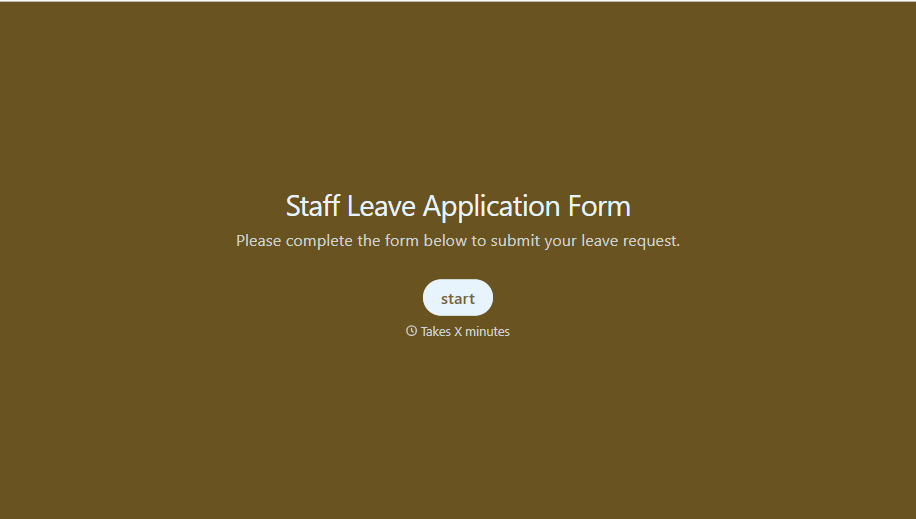
Staff Leave Application Form
A vacation request approved with a thumbs-up emoji in Slack isn't the kind of record payroll can work from when it's time to reconcile someone's leave balance. Collect the leave type, dates, and manager approval in one place, so a team doesn't accidentally double-book someone's time off.
View template
With Typeform, you can customize everything
Change text, colors, and even logos to match the look and feel of your brand. Then embed forms smoothly onto web and email.
Make forms feel effortless to fill out. Pace questions, call people by their name, and adapt the flow based on the data they share.
Stay efficient by connecting forms to your workflow. Typeform integrates with 300+ tools including Slack, Zapier, and HubSpot.


