Job Form Template
Make applying for open roles easier for candidates and less manual for your recruiting team.



A long, multi-page job application that asks for everything upfront discourages good candidates from finishing it. If your application process is harder than it needs to be, you're filtering people out for the wrong reason before they've had a chance to show what they can do.
Typeform's job application form guides candidates through the process step by step, which reduces drop-off and gives candidates a better first impression of your company. Conditional logic lets you show role-specific questions only for the positions that need them, keeping the form focused and relevant.
Connect the form to your ATS or a Google Sheet so applications go straight into your existing hiring workflow without manual copying.
A job application form is a structured questionnaire that collects information from candidates applying for a role. It typically covers contact details, work history, education, skills, and role-specific questions. It gives employers a consistent way to compare applicants and screen for fit.
It creates consistency across your candidate pool. When every applicant answers the same questions, early-stage comparisons are faster and more objective. It also captures information that resumes often omit — availability, salary expectations, willingness to relocate — so you're not chasing down basics before deciding whether to schedule a screen.
A solid general application covers qualifications and logistics without becoming overwhelming. Consider including:
- Full name and contact information
- Position being applied for
- Work authorization status
- Relevant education and credentials
- Prior work experience and dates of employment
- Key skills or certifications
- Availability and earliest start date
- Salary expectations
- How they heard about the role
Typeform integrates with tools like Greenhouse, Lever, and Workable via Zapier, or you can use webhooks to send application data directly to your ATS. This eliminates manual data entry and keeps your pipeline current.
Yes. Add a dropdown or multiple-choice question at the start asking which role the candidate is applying for, then use conditional logic to show role-specific questions based on their selection. Every application lands in the same place and is tagged by role.
Get inspired by relevant templates and categories
3200+ Templates, 300+ Integrations
Nursing Job Application Form
A generic job application that doesn't ask for a license number isn't a nursing application, it's a formality a recruiter has to follow up on before they can even screen the candidate. Collect license and certification details, specialty experience, and availability before the resume gets reviewed, so recruiters aren't chasing down credentials mid-process.
View template

Distributor Registration Form
A distributor application that arrives as a scanned resale certificate attached to an email doesn't tell your sales team what territory they're actually asking for. Collect what your company actually needs, business information, tax documentation, and territory, before you set up an account.
View template
Resident Registration Form
A move-in packet signed at the leasing office and filed in a drawer isn't the kind of record your front desk can pull up when a resident's guest needs access or a car needs to be identified in the lot. Collect household members, vehicles, and emergency contacts before move-in day, so your community has an accurate record from the start.
View template
Female Model Application Form
A portfolio submitted through a DM slide doesn't give a casting team enough to actually evaluate someone, and it doesn't give the applicant much confidence about who's actually on the other end of it either. Collect what your agency actually needs, measurements, photos, and experience, through a process both sides can trust.
View template
Coaching Application Form
Almost anyone can put "certified life coach" on a resume, because almost nowhere requires a license to use that title. A resume and a cover letter won't tell you whether the person you're about to hire actually has a credential behind that claim, or years of client results, or neither. Ask for the specifics upfront, not after they've already started with clients.
View template
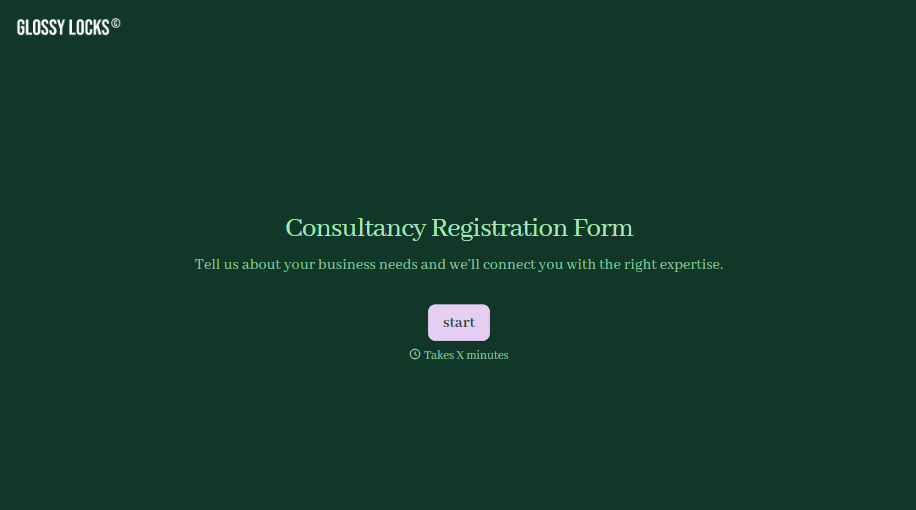
Consultancy Registration Form
Move past a registration form that only grabs a name and a phone number. Confirm the client understands who they're signing up with, screen for what a consultancy is legally allowed to charge and promise, and keep a record of exactly what was disclosed and agreed to.
View template
With Typeform, you can customize everything
Change text, colors, and even logos to match the look and feel of your brand. Then embed forms smoothly onto web and email.
Make forms feel effortless to fill out. Pace questions, call people by their name, and adapt the flow based on the data they share.
Stay efficient by connecting forms to your workflow. Typeform integrates with 300+ tools including Slack, Zapier, and HubSpot.


