Freelance Invoice Form Template
Bill your clients like a professional, even if your "accounting department" is you and a spreadsheet.



Freelancing means wearing every hat, and invoicing is the hat that fits the worst. You'd rather be doing the creative or strategic work you're actually good at, not wrestling with invoice templates, chasing missing PO numbers, or realizing you forgot to include your payment terms. Again.
This freelance invoice form template gives you a consistent, professional invoicing process without the overhead of accounting software. Walk through each field one at a time (client info, project description, hours, rates, expenses), and the form keeps everything organized. Conditional logic adapts based on your billing model, whether that's hourly, per-project, milestone-based, or retainer.
Connect it to Google Sheets through integrations and you've got a running record of every invoice you've sent. Add a Zapier connection to auto-generate formatted PDFs or trigger payment reminders. Set it up once, and invoicing goes from a dreaded chore to a 5-minute task.
A freelance invoice form is a billing document specifically designed for independent contractors and freelancers. It captures the essential elements of a professional invoice — your business details, client information, work performed, amounts owed, and payment instructions. Using a standardized form ensures your invoices are consistent, complete, and taken seriously by clients.
Inconsistent invoicing creates payment delays. When clients receive invoices with missing details, unclear descriptions, or varying formats, they're more likely to sit on them or send them back for clarification. A standardized form means fewer questions, faster approvals, and more predictable cash flow. It also makes tax time significantly less painful when every invoice follows the same structure.
- Your name/business name, address, and tax ID (if applicable)
- Client name, company, and billing contact
- Invoice number, issue date, and due date
- Project or service description with line-item breakdown
- Hours worked, rate, and line-item totals
- Expense reimbursements (with upload field for receipts)
Use conditional logic to branch the form based on billing type. If you select "hourly," the form shows fields for hours and hourly rate. If you select "project-based," it shows a flat fee field instead. For milestone billing, it can present a dropdown of project milestones with associated amounts. One form handles every scenario you'll encounter.
The form itself captures the creation side of invoicing. For tracking payment status, connect it to a Google Sheet or Airtable through integrations, then add columns for "sent," "paid," and "overdue." Some freelancers also set up Zapier automations to send follow-up reminders at 30, 60, and 90 days. The form is the starting point; your connected tools handle the lifecycle.
Get inspired by relevant templates and categories
3200+ Templates, 300+ Integrations

Bank Reference Form
A reference request faxed to a bank branch and left sitting in a queue for weeks isn't the kind of turnaround a landlord or business can wait on. Collect the applicant's signed authorization and the specific details you need confirmed before the request even reaches the bank, so a decision isn't stuck behind a letter that hasn't come back yet.
View template

Bar Inventory Form
A bottle count eyeballed at the end of a shift and scrawled on a paper sheet doesn't hold up against a pour cost report that says something doesn't add up. Collect what your bar actually needs, item, count, and variance, on a schedule you can actually compare week to week.
View template

Equipment Inventory Form
Equipment that leaves a storage room in someone's arms, with no note about where it went, doesn't show up again until someone needs it and can't find it. Collect what your team actually needs, item details, condition, and who's got it, every time something moves.
View template

Maintenance Agreement Form
A maintenance plan agreed to over the phone isn't a contract your service team can actually work from, especially when nobody's sure whether the twice-a-year tune-up was part of the deal. Collect the equipment covered, service frequency, and a signed agreement before the first visit, so your team isn't guessing at scope once they're on-site.
View template

Incentive Claim Form
A rebate claim mailed in with a stapled stack of receipts isn't the kind of paperwork that gets processed quickly, especially when a required serial number turns out to be missing from page three. Collect proof of purchase, product details, and participant information upfront, so a claim doesn't bounce back for a missing document weeks later.
View template
Threat Assessment Form
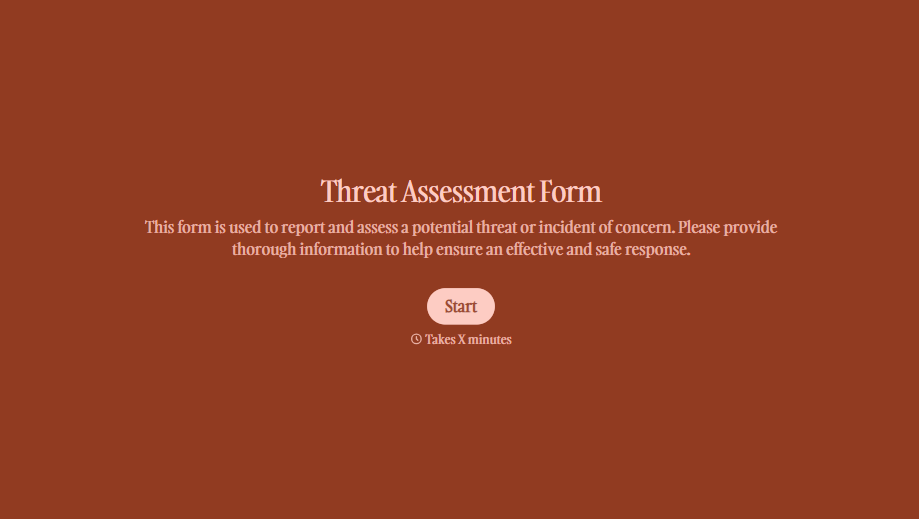
A concerning comment that gets passed from a teacher to a counselor to whoever's free that period loses detail with every retelling. Collect what your team actually needs, what was observed or reported, who was involved, and when, before an important detail gets dropped along the way.
View template
With Typeform, you can customize everything
Change text, colors, and even logos to match the look and feel of your brand. Then embed forms smoothly onto web and email.
Make forms feel effortless to fill out. Pace questions, call people by their name, and adapt the flow based on the data they share.
Stay efficient by connecting forms to your workflow. Typeform integrates with 300+ tools including Slack, Zapier, and HubSpot.


