Dog Surrender Form Template
Collect the information needed to responsibly intake a surrendered dog.



When an owner surrenders a dog to a shelter or rescue, the intake process sets the tone for everything that follows. The information gathered at surrender — temperament, medical history, behavior around people and other animals — directly affects how the dog is housed, how it's assessed, and how quickly it finds a new home.
This template captures the owner's contact information, the dog's name, breed, age, and weight, known medical history and vaccination status, temperament notes (good with kids, other dogs, cats), behavioral observations (separation anxiety, reactivity, leash manners), the reason for surrender, and any special needs or circumstances. More context means better placement decisions.
The form is designed to be completed quickly in a stressful moment. Clear fields and a mobile-friendly layout mean the owner can fill it out on their phone while at the shelter, or it can be sent ahead of time so intake staff have information before the dog arrives.
It's the only direct source of information about the dog's history. Without it, shelters are working blind — housing a reactive dog next to other animals, placing a dog with unknown bite history in a home with children, or missing a medical condition that affects care decisions. Good intake information saves lives.
Known triggers (other dogs, strangers, handling of specific body parts), history of resource guarding or biting, behavior in a crate or alone, leash reactivity, and response to basic commands. These directly affect housing decisions, safety protocols, and adoption screening.
Yes — request them, but don't make the form conditional on receiving them. A field to upload vet records or list the veterinary practice contact is useful, but some owners won't have documentation on hand. The surrender should proceed regardless so the animal isn't left in a worse situation.
A clear, simple form helps. Keep required fields focused on the essentials, and train staff to walk owners through it calmly rather than just handing them a device. A well-designed form reduces the cognitive load in a hard moment — which actually produces better information than a complex intake process would.
Yes, with modifications. Replace breed and size-related fields with species-appropriate options, adjust behavioral categories to fit the animal type, and update the vaccination fields to reflect the appropriate health records. The structure works for any domestic animal surrender.
Get inspired by relevant templates and categories
3200+ Templates, 300+ Integrations

Bank Reference Form
A reference request faxed to a bank branch and left sitting in a queue for weeks isn't the kind of turnaround a landlord or business can wait on. Collect the applicant's signed authorization and the specific details you need confirmed before the request even reaches the bank, so a decision isn't stuck behind a letter that hasn't come back yet.
View template

Bar Inventory Form
A bottle count eyeballed at the end of a shift and scrawled on a paper sheet doesn't hold up against a pour cost report that says something doesn't add up. Collect what your bar actually needs, item, count, and variance, on a schedule you can actually compare week to week.
View template


Equipment Inventory Form
Equipment that leaves a storage room in someone's arms, with no note about where it went, doesn't show up again until someone needs it and can't find it. Collect what your team actually needs, item details, condition, and who's got it, every time something moves.
View template

Musical Audition Form
A name scrawled on a sign-up sheet taped near the rehearsal room doesn't tell a director what role someone's after, or whether they can actually make callbacks next Tuesday. Collect what your production actually needs, contact information, role interest, and availability, before audition day arrives.
View template
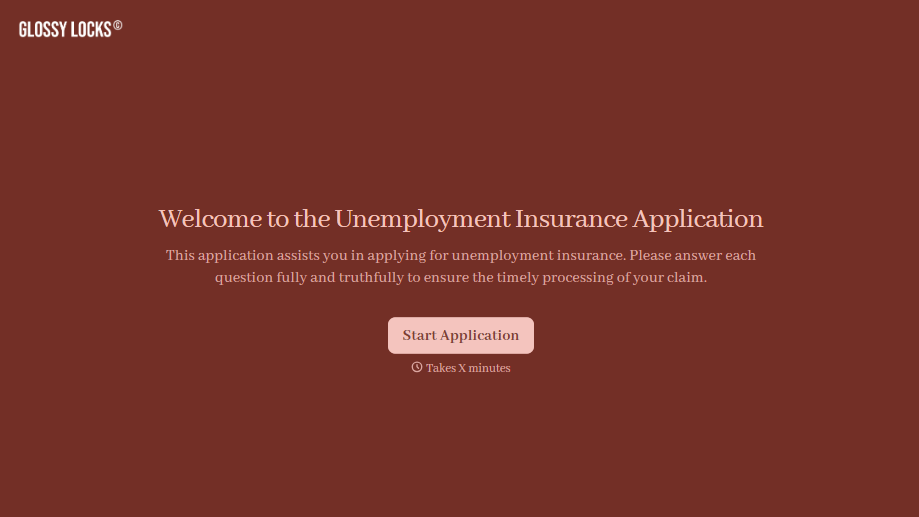
Unemployment Insurance Application Form
A stack of pay stubs gathered the morning of a filing deadline isn't the kind of preparation that gets a claim processed without delay. Collect employment history, separation details, and supporting documents before you sit down at your state's unemployment portal, so a claim doesn't stall over a missing detail.
View template
With Typeform, you can customize everything
Change text, colors, and even logos to match the look and feel of your brand. Then embed forms smoothly onto web and email.
Make forms feel effortless to fill out. Pace questions, call people by their name, and adapt the flow based on the data they share.
Stay efficient by connecting forms to your workflow. Typeform integrates with 300+ tools including Slack, Zapier, and HubSpot.


