Contractor Invoice Form Template
Submit your invoice with all the billing details clients need to pay promptly.



Invoices that come in missing a PO number, without a clear description of services, or with the wrong billing address sit in an approval queue while someone tracks down the missing information. A structured invoice form eliminates that back-and-forth by ensuring contractors submit everything needed for processing in one go.
This template captures the contractor's name and business details, the client name and billing address, a project or PO reference number, the invoice date and payment due date, an itemized list of services with hours and rates or fixed fees, any expenses to be reimbursed, the total amount due, banking details for direct transfer, and an optional notes field for any relevant context.
Submit it digitally and receive a confirmation that the invoice has been received. Clients can configure the form so submissions flow into their accounts payable system or accounting software automatically, reducing the time between submission and payment.
Your business name and contact details, the client's name and billing address, a unique invoice number, the invoice date, a clear description of services rendered, the amount for each line item, the total due, your payment terms, and your bank or payment details. Missing any of these consistently lengthens the time to payment.
Use separate line items — one section for services at your hourly or daily rate, and a separate section for expenses to be reimbursed. For expenses, attach receipts in the upload field. This makes it easy for the client's finance team to approve each component separately if their policy requires it.
State the due date clearly — 'Net 30 from receipt' is common. For project-based work, you might use milestone-based terms. Some contractors add early payment discounts (2/10 net 30) or late payment fees. Whatever your terms are, they should be consistent across all your invoices and ideally agreed to in the contract before work begins.
Include a contact name and email for billing queries on the form. If a client disputes a line item, the documented submission and any supporting timesheet or expense records provide the basis for resolution. Keep clear records of all work performed — they're your evidence if a dispute escalates.
Yes. The form captures the client name and billing details as fields, so submissions can be filtered and organized by client in your response dashboard. Each submission is a separate invoice record, making it straightforward to track outstanding invoices, payment status, and billing history by client.
Get inspired by relevant templates and categories
3200+ Templates, 300+ Integrations

Bank Reference Form
A reference request faxed to a bank branch and left sitting in a queue for weeks isn't the kind of turnaround a landlord or business can wait on. Collect the applicant's signed authorization and the specific details you need confirmed before the request even reaches the bank, so a decision isn't stuck behind a letter that hasn't come back yet.
View template

Bar Inventory Form
A bottle count eyeballed at the end of a shift and scrawled on a paper sheet doesn't hold up against a pour cost report that says something doesn't add up. Collect what your bar actually needs, item, count, and variance, on a schedule you can actually compare week to week.
View template

Equipment Inventory Form
Equipment that leaves a storage room in someone's arms, with no note about where it went, doesn't show up again until someone needs it and can't find it. Collect what your team actually needs, item details, condition, and who's got it, every time something moves.
View template

Maintenance Agreement Form
A maintenance plan agreed to over the phone isn't a contract your service team can actually work from, especially when nobody's sure whether the twice-a-year tune-up was part of the deal. Collect the equipment covered, service frequency, and a signed agreement before the first visit, so your team isn't guessing at scope once they're on-site.
View template

Incentive Claim Form
A rebate claim mailed in with a stapled stack of receipts isn't the kind of paperwork that gets processed quickly, especially when a required serial number turns out to be missing from page three. Collect proof of purchase, product details, and participant information upfront, so a claim doesn't bounce back for a missing document weeks later.
View template
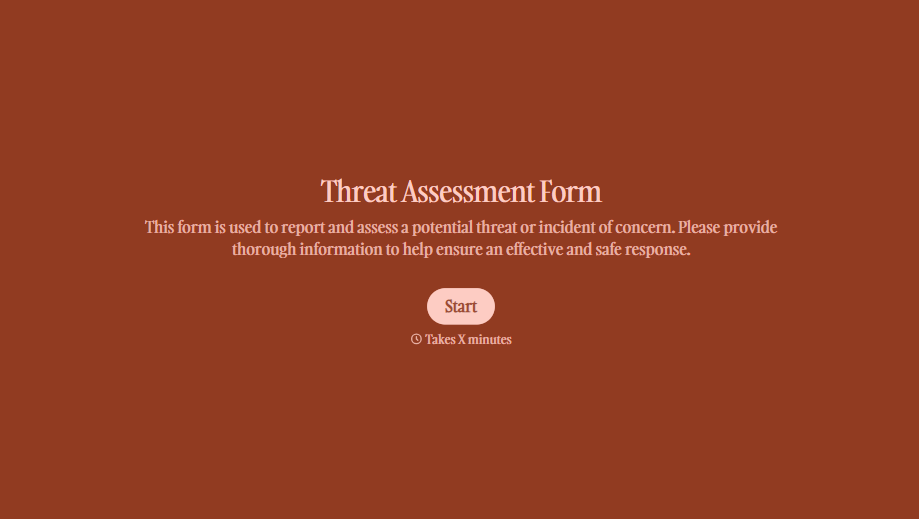
Threat Assessment Form
A concerning comment that gets passed from a teacher to a counselor to whoever's free that period loses detail with every retelling. Collect what your team actually needs, what was observed or reported, who was involved, and when, before an important detail gets dropped along the way.
View template
With Typeform, you can customize everything
Change text, colors, and even logos to match the look and feel of your brand. Then embed forms smoothly onto web and email.
Make forms feel effortless to fill out. Pace questions, call people by their name, and adapt the flow based on the data they share.
Stay efficient by connecting forms to your workflow. Typeform integrates with 300+ tools including Slack, Zapier, and HubSpot.


