Construction Daily Report Form Template
Document every day on-site before memory fades and details get lost.



On a construction site, what happened yesterday matters today. Weather delays, equipment issues, subcontractor progress, safety incidents: if it's not documented, it didn't happen. And when disputes arise months later over timelines or change orders, those daily reports become your most valuable evidence.
This construction daily report form template gives site managers a fast, mobile-friendly way to log daily activity. Capture weather conditions, crew counts, equipment usage, work completed, materials delivered, safety observations, and any delays or issues, all from a phone or tablet on-site. Conditional logic surfaces additional fields when you report an incident or delay, so the documentation is thorough when it matters most.
Submissions sync to your project management platform, cloud storage, or a shared spreadsheet in real time. Your project managers and clients get consistent, professional daily reports without anyone spending 30 minutes at a desk typing up notes.
A construction daily report form is a standardized log that captures everything that happens on a job site each day. It typically records weather, manpower, equipment, work performed, materials used, safety incidents, and any delays. These reports create a chronological record of the project that's essential for accountability, billing, and dispute resolution.
They protect everyone. When a client disputes a timeline, your daily reports show exactly what happened and when. When a subcontractor claims they were on-site, the crew count proves otherwise. When an insurance claim is filed, the incident documentation is already done. Daily reports are also the foundation for progress billing, change order justification, and regulatory compliance.
- Date, project name, site location, and report author
- Weather conditions (temperature, precipitation, wind)
- Crew breakdown by trade and headcount
- Equipment on-site and hours of operation
- Summary of work completed and percentage of progress
- Safety observations, incidents, or near-misses
Make it fast and mobile. If a foreman can complete the report on their phone in under 5 minutes, tapping through dropdowns and quick-entry fields instead of writing paragraphs, compliance goes up dramatically. The one-question-at-a-time format helps here. Set a daily reminder, and make it clear that reports are tied to payment approvals if that's your process.
Yes. Include file upload fields for site photos, delivery tickets, inspection reports, and any other relevant documentation. Photos are especially valuable because they capture progress visually and are often the strongest evidence in disputes. Encourage crews to photograph completed work, material deliveries, and any site conditions that may cause issues later.
Get inspired by relevant templates and categories
3200+ Templates, 300+ Integrations

Bank Reference Form
A reference request faxed to a bank branch and left sitting in a queue for weeks isn't the kind of turnaround a landlord or business can wait on. Collect the applicant's signed authorization and the specific details you need confirmed before the request even reaches the bank, so a decision isn't stuck behind a letter that hasn't come back yet.
View template

Bar Inventory Form
A bottle count eyeballed at the end of a shift and scrawled on a paper sheet doesn't hold up against a pour cost report that says something doesn't add up. Collect what your bar actually needs, item, count, and variance, on a schedule you can actually compare week to week.
View template

Equipment Inventory Form
Equipment that leaves a storage room in someone's arms, with no note about where it went, doesn't show up again until someone needs it and can't find it. Collect what your team actually needs, item details, condition, and who's got it, every time something moves.
View template

Maintenance Agreement Form
A maintenance plan agreed to over the phone isn't a contract your service team can actually work from, especially when nobody's sure whether the twice-a-year tune-up was part of the deal. Collect the equipment covered, service frequency, and a signed agreement before the first visit, so your team isn't guessing at scope once they're on-site.
View template

Incentive Claim Form
A rebate claim mailed in with a stapled stack of receipts isn't the kind of paperwork that gets processed quickly, especially when a required serial number turns out to be missing from page three. Collect proof of purchase, product details, and participant information upfront, so a claim doesn't bounce back for a missing document weeks later.
View template
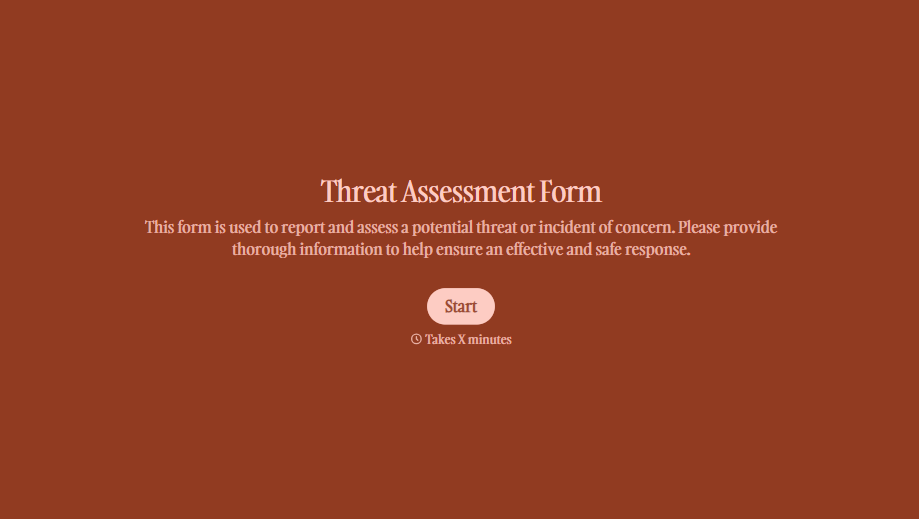
Threat Assessment Form
A concerning comment that gets passed from a teacher to a counselor to whoever's free that period loses detail with every retelling. Collect what your team actually needs, what was observed or reported, who was involved, and when, before an important detail gets dropped along the way.
View template
With Typeform, you can customize everything
Change text, colors, and even logos to match the look and feel of your brand. Then embed forms smoothly onto web and email.
Make forms feel effortless to fill out. Pace questions, call people by their name, and adapt the flow based on the data they share.
Stay efficient by connecting forms to your workflow. Typeform integrates with 300+ tools including Slack, Zapier, and HubSpot.


