Appointment Schedule Template

Let people book the time slot that works for them — and keep your calendar organized.

Appointment Schedule Template

Works great on every device.
Start with this template

Scheduling by phone or email creates back-and-forth that wastes everyone's time. This template lets clients or patients select from available dates and times, provide their reason for the appointment, and submit contact information — all in one place, on any device.

The form captures the respondent's name, contact details, preferred date and time, appointment type, and any notes they want to share in advance. You can add dropdown menus for appointment types or use a date picker to guide selection.

When connected to your calendar or CRM, each submission creates a record you can act on immediately. You can also set up automated confirmation emails so clients know their request was received, without any manual follow-up.

Appointment Schedule Template FAQs:

This is a request-based form rather than live calendar integration. Clients submit their preferred time, and you confirm. It's well suited for situations where you need to screen requests, gather information upfront, or manage limited availability manually.

Yes. Use a dropdown or multiple choice field listing your available slots. This prevents requests for times you're not open and gives clients clear options to choose from.

Use Typeform's email notifications to send a confirmation to the respondent when they submit. You can also connect to Zapier or Make to trigger confirmation emails through your email platform.

Yes. Add an appointment type question and use conditional logic to show relevant follow-up questions depending on what the person selects — for example, a medical appointment might ask for insurance details while a consultation doesn't.

Typeform doesn't have built-in capacity limits, but you can close the form when slots fill or connect it to a spreadsheet where you track availability and update the options manually.

Get inspired by relevant templates and categories

3200+ Templates, 300+ Integrations

Bank Reference Form

A reference request faxed to a bank branch and left sitting in a queue for weeks isn't the kind of turnaround a landlord or business can wait on. Collect the applicant's signed authorization and the specific details you need confirmed before the request even reaches the bank, so a decision isn't stuck behind a letter that hasn't come back yet.

View template

Bar Inventory Form

A bottle count eyeballed at the end of a shift and scrawled on a paper sheet doesn't hold up against a pour cost report that says something doesn't add up. Collect what your bar actually needs, item, count, and variance, on a schedule you can actually compare week to week.

View template

Equipment Inventory Form

Equipment Inventory Form

Equipment that leaves a storage room in someone's arms, with no note about where it went, doesn't show up again until someone needs it and can't find it. Collect what your team actually needs, item details, condition, and who's got it, every time something moves.

View template

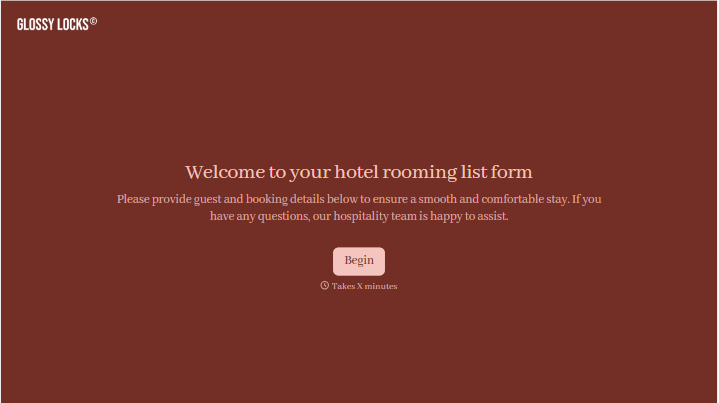
Hotel Room Booking Form

Hotel Room Booking Form

A room booked over the phone with "we'll figure out the room type when you get here" doesn't leave the front desk anything to actually plan around. Collect what your hotel actually needs, guest information, dates, and room preferences, before the reservation gets confirmed.

View template

Maintenance Agreement Form

Maintenance Agreement Form

A maintenance plan agreed to over the phone isn't a contract your service team can actually work from, especially when nobody's sure whether the twice-a-year tune-up was part of the deal. Collect the equipment covered, service frequency, and a signed agreement before the first visit, so your team isn't guessing at scope once they're on-site.

View template

Incentive Claim Form

Incentive Claim Form

A rebate claim mailed in with a stapled stack of receipts isn't the kind of paperwork that gets processed quickly, especially when a required serial number turns out to be missing from page three. Collect proof of purchase, product details, and participant information upfront, so a claim doesn't bounce back for a missing document weeks later.

View template

With Typeform, you can 
customize everything

Change text, colors, and even logos to match the look and feel of your brand. Then embed forms smoothly onto web and email.

Make forms feel effortless to fill out. Pace questions, call people by their name, and adapt the flow based on the data they share.

Stay efficient by connecting forms to your workflow. Typeform integrates with 300+ tools including Slack, Zapier, and HubSpot.

Glossy Locks brand collage with logo, typography, star rating, hair combing photo, and color palette
Glossy Locks hair quiz on mobile showing product recommendations for The Mask and The Serum
Typeform to Slack integration diagram showing product rating data flowing to a feedback channel

Access 3,000+ templates